How to Put a QR Code on Your Luggage Tag (Without Printing Your Address)
Put a QR code on your luggage tag without printing your address: a DIY code done right, or a Smart Luggage Tag you set up with one scan.
The short answer
There are two ways to put a QR code on a luggage tag. You can make one yourself: point the code at a short page you control (not at your phone number or address), print it about an inch square, seal it against rain and test it. Or you can use a purpose-built tag like a SeQR Smart Luggage Tag, which comes with its own code: scan it, sign in, write the message a finder will see and clip it to a fixed handle.
Either way, the goal is the same. Someone who finds your bag can reach you. Nobody who glances at your bag learns where you live.

Before you start: decide what the code should do
Whatever opens when a finder scans your tag does all the work. A good luggage tag QR code does three jobs:
- It tells the finder this bag belongs to someone and what to do with it.
- It gives them a way to reach you.
- It doesn't hand them your home address or your personal number.
That third job is the one most DIY guides skip. A home address on a bag tells a stranger where you live and that you're not there right now. Your airline already has your address from your booking, so the tag doesn't need it. "I don't want my phone number on there" is also one of the things we hear most often from customers, and it's a fair instinct. For the full list of what belongs on a tag, see what to put on a luggage tag (and what to leave off).
Path A: make your own QR code luggage tag
This can cost you nothing but a printer and some tape. The details matter.
- Choose where the code points. Point it at a short page you control, with a message and a contact you're comfortable giving out. Skip generator options that put your contact card or plain text straight into the code. A static QR code stores its contents directly in the pattern, so anyone who scans it sees everything, and you can't change it after printing.
- Read the fine print on "dynamic" codes. A dynamic code sends scans through the generator's own short link, which is what lets you edit it later. The catch: most providers need an active plan to keep that link running, and codes made on a free trial switch off when the trial ends. Check the terms before you print.
- Write the page a finder lands on. Keep it short and kind: "Thanks for finding my bag! Please leave it at the airline's baggage desk, or email me at the address below." Use an email or work number you don't mind a stranger having. Leave your home address off.
- Print it big enough to scan. Aim for at least 2 cm (about 0.8 inch) square for close-up scanning, and bigger is easier. Keep a plain white border around the code, at least four of its small squares wide. Dark on light scans best.
- Protect it. Laminate the printout or slide it behind a tag's clear window. Paper scuffs on conveyor belts, and ink runs in the rain.
- Attach it and test it. Scan it with two different phones, ideally one iPhone and one Android, in dim light.
- Know the gaps. A DIY code has no built-in reply channel, so the finder has to email or call you. If the generator changes its terms, the code on your bag can stop working mid-trip. And if your contact details change, you print a new one. And if privacy is what you're after, a DIY code does little to protect you: whoever scans it sees the same information they'd read on a regular tag, because there's no anonymous messaging to keep your details out of view.
For why a homemade code and a purpose-built tag behave differently, read QR code luggage tags: why a DIY code isn't the same thing.
Path B: set up a SeQR Smart Luggage Tag (Recommended)
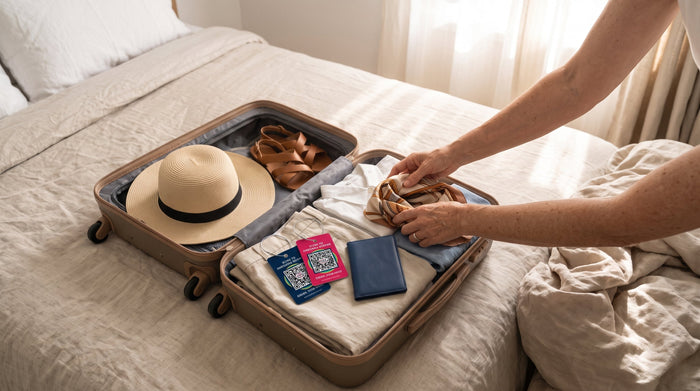
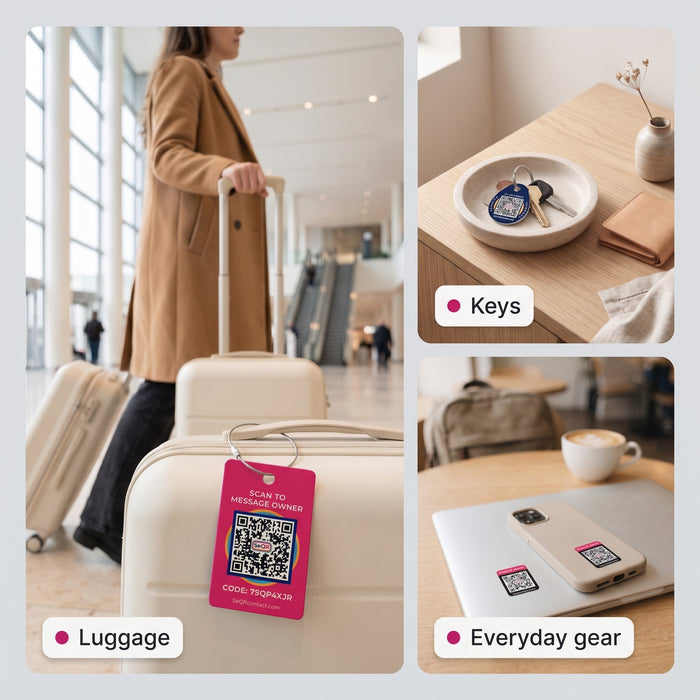
A SeQR Smart Luggage Tag arrives with its own unique QR code already printed on a weatherproof card. Nothing on the front shows your name or number, and the message behind the code stays editable.

- Scan the tag with your phone camera. No app is needed to start. The scan opens the activation page.
- Sign in or create an account. This links the tag to you. Your account lives in the free SeQR app, which you add from your browser to your home screen. "Where's the app? I can't find it in the App Store" is one of the most common questions in our inbox. The reason: it installs straight from the browser, so it isn't listed there. There's no subscription.
- Write the message a finder will see. Something like: "Hi, thanks for finding my bag! I'm flying home on the 24th. Please leave it with the airline desk, or send me a message here." You can change it any time from the app. Same tag, same code, new message.
- Turn on notifications. When a finder writes to you, the app sends you a notification, so check that notifications are allowed for it on your phone.
- Attach it to a fixed handle. Thread the braided steel cable loop around the bag's side or top carry handle, then screw the barrel lock closed until it's snug. A fixed handle is better than the telescoping one, which slides into the case, or a zipper pull, which can tear off.
- Test-scan it. Ask someone at home to scan the tag with their phone, or use a second device, and send you a test message. You'll see what a finder sees and know your notifications work. Here's what a finder actually sees when they scan a QR tag.
- Update the message before each trip. Add your return date, your hotel's front desk or "this bag is on its way to Chicago."
Traveling as a family? "My husband needs access too" comes up a lot. Shared household access is on the way. For now, many families simply share one login, so everyone gets the same messages.
What happens when someone finds your bag
The finder points any phone camera at the code. A web page opens with your message and a box to write back. They don't need an app, and they don't see your phone number or address.
If they want to, the finder can also share where they found the bag. That's optional and depends on their phone's settings, so it's a helpful extra, not a live map. If you want location updates while the bag is in transit, a Bluetooth tracker like an AirTag inside the bag pairs well with a QR tag on the outside. We compare QR tags, AirTags and other options side by side.
Most people who find a bag want to help get it back. A clear tag just makes that easy for them, without making you findable by everyone else.

DIY code vs SeQR Smart Luggage Tag at a glance
| DIY QR code | SeQR Smart Luggage Tag | |
|---|---|---|
| What the code holds | Whatever you put in it; static codes show it all | A unique code that opens a private message page |
| Can you change it later? | Only with a dynamic code, usually on a paid plan | Yes, any time, from the free app |
| How the finder reaches you | Calls or emails the contact you list | Messages you from the scan page; no number shown |
| Holds up to travel | Paper and laminate wear | Weatherproof card on a braided steel loop |
| Ongoing fees | Depends on the generator | None; no battery, no subscription |
| Protects your personal information? | No; a scanner sees what a regular tag shows, with no anonymous messaging | Yes; your personal details stay hidden from the finder |
Frequently asked questions
Can I add a QR code to the luggage tag I already have?
Yes. Print your code to fit the tag's window (still at least 2 cm square), keep a white border around it, and slide it behind the clear plastic. Test it through the plastic, since glare can slow cameras down.
Do QR codes on luggage tags stop working?
A static code keeps working as long as whatever it points to exists. A dynamic code from a generator can switch off if the free trial or plan ends. A SeQR Smart Luggage Tag has no plan to lapse, and its app is free.
Does the person who finds my bag need an app?
No. Any phone camera can scan the code and open the message page in a browser.
Can I put these on my kids' bags too?
Yes. Each tag has its own code, so you can write a different message for each bag, like "This is Maya's backpack. Please take it to the front desk." For smaller items like keys and headphones, Smart Keychain Tags work the same way.
Skip the generator and the laminator: SeQR Smart Luggage Tags come with their own code, a steel cable loop and a message you can change any time.
How a SeQR tag gets your things back
- 1Someone finds itThey point any phone camera at the tag. No app needed.
- 2They message youThey see your note and a message box, not your number or address.
- 3You reply and get it backYou get the message right away and agree where to meet.
 Smart Luggage TagsNo app for the finder, no battery, no monthly fees.See the product →