QR Code Luggage Tags: Why a DIY Code Isn't the Same Thing
You can print a QR code for your luggage in two minutes. Here's what a homemade code can't do, and what to look for in a QR code luggage tag instead.
If you search for QR code luggage tags, some of the results will tell you how to make one yourself. Generate a code, link it to your phone number or a contact card, print it, slip it into a tag. Two minutes, done.
It's a reasonable idea. But a homemade QR code and a QR code luggage tag built for the job behave very differently on the day someone actually finds your bag. Here's the difference.
What a DIY QR code actually does
Most free QR generators turn a piece of text, a link or a contact card into a code. When someone scans it, they see exactly what you put in: your phone number, your email, maybe your address.
That means:
- Your details are public. Anyone who scans the code, whether they've found your bag or are just curious at the carousel, sees your contact information. It's the same as writing your number on the tag, with one extra step.
- The finder has to call or email you. For an international traveler holding your bag in another country, calling a foreign number is a real hurdle.
- It may stop working. Some free generators make "dynamic" codes that send scans through their own website. If the service shuts down or starts charging, your code can break, and you won't know until someone scans it.
- It wears out. A paper printout in a plastic window doesn't love rain, conveyor belts or being crushed under other suitcases.

What a QR code luggage tag should do instead
A tag built for lost luggage should do four things a homemade code can't.
1. Keep your details off the tag and out of the scan
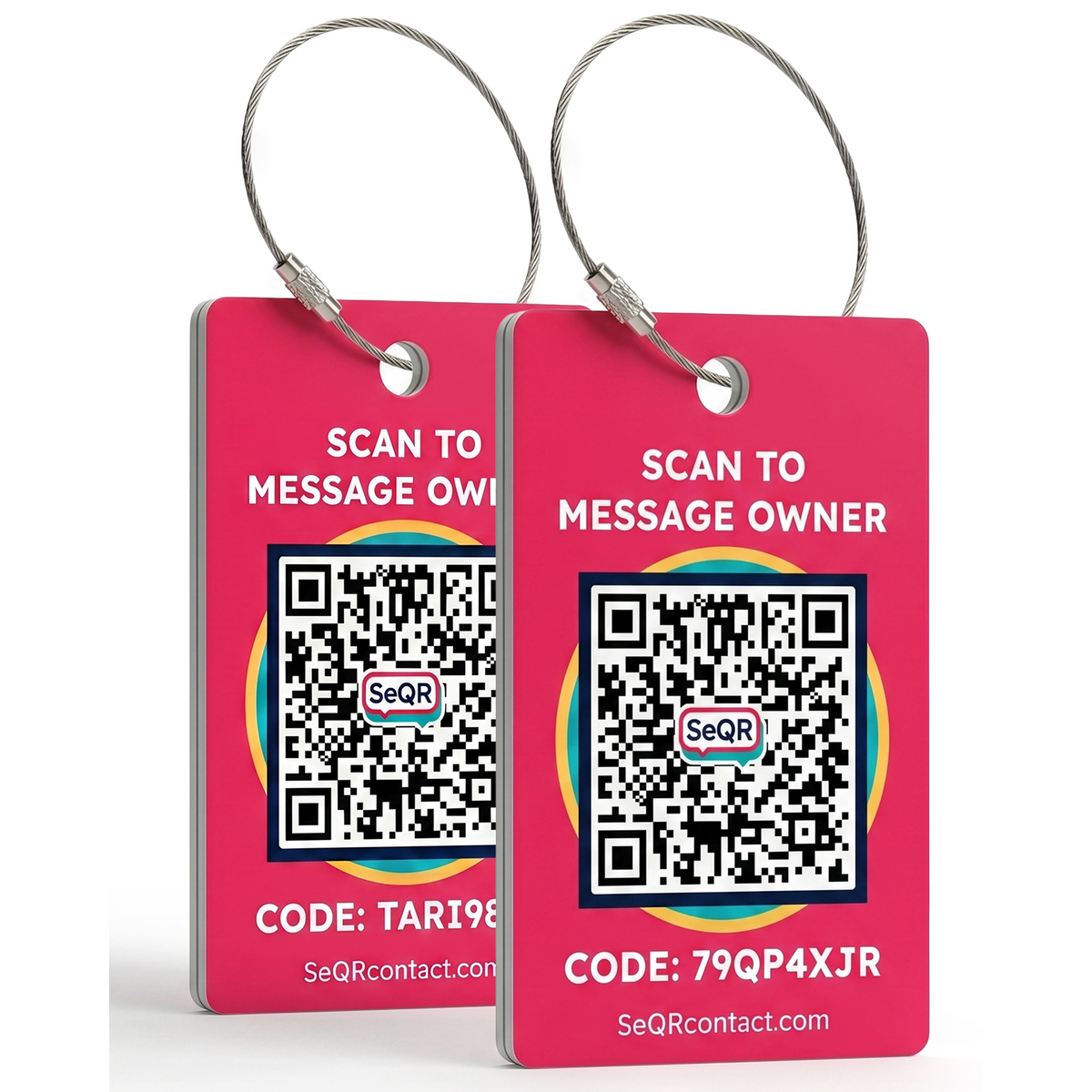
With a SeQR tag, scanning the code doesn't reveal your phone number, email or address. It opens a simple page with your message and a box for the finder to reply. You talk through SeQR. Your number stays yours.
2. Let any finder reach you without an app
The person who finds your bag shouldn't need to download anything. SeQR tags work with any phone camera, on iPhone or Android, anywhere in the world. The finder scans, types a message and, if they choose to, shares where they are.
3. Let you change the message without changing the tag
Each SeQR tag is printed with its own unique QR code that never changes. The message behind it is yours to edit any time in the free app. Traveling with a different phone? Want to add "Reward if found"? Change it in seconds. Engraved tags lock your info in forever; handwritten inserts smudge. This is the one tag that's both permanent and up to date.
4. Survive the trip
Because there's no paper insert to protect, the whole tag can be built for baggage handling: weatherproof, with nothing to run in the rain and a strap that's made to hold.
How a SeQR tag works, step by step
- Set it up once. Scan your tag with your phone and create your free account. The tag links to you.
- Write your message. Something simple works best: "Thanks for finding my bag! Please send me a note."
- Travel. Nothing to charge, nothing to renew.
- If someone finds your bag, they scan the code with their camera and message you.
- You reply and arrange to get your bag back. Neither of you has to share a phone number unless you decide to.

"Is it really free? What's the catch?"
We get this question a lot. The SeQR app is free. There's no subscription, no monthly fee and no paid tier. You buy the tags; the messaging comes with them.
And because the app installs from your browser rather than an app store, you won't find it in the App Store or Google Play. That's on purpose: it means the finder never has to download anything either. (See how the app works.)
DIY QR code vs SeQR QR code luggage tag
| DIY printed QR code | SeQR QR code luggage tag | |
|---|---|---|
| Shows your phone number or email to whoever scans | Usually yes | No |
| Finder can message you without calling | No | Yes |
| Finder needs an app | No | No |
| Change your info without replacing the tag | Only with some paid generators | Yes, free, any time |
| Each tag has its own code | If you set it up that way | Yes, always |
| Holds up to rain and baggage handling | Depends on your printer and laminator | Built for it |
| Cost | Free, plus materials | One-time price, free app |
Is a QR code luggage tag a tracker?
No, and it's worth being clear about that. A QR code luggage tag doesn't report where your bag is. It helps once someone has found the bag and scanned the code. If you want location updates during a trip, pair a SeQR tag with a tracker inside the bag. Our guide to smart luggage tags explains how the two work together.
The bottom line
A homemade QR code is a fine craft project. For the moment that actually matters, when a stranger is holding your bag and wondering how to get it back to you, you want a tag that keeps your details private, lets anyone reach you from any phone, and still works years from now.
How a SeQR tag gets your things back
- 1Someone finds itThey point any phone camera at the tag. No app needed.
- 2They message youThey see your note and a message box, not your number or address.
- 3You reply and get it backYou get the message right away and agree where to meet.
 Smart Luggage TagsNo app for the finder, no battery, no monthly fees.See the product →