Smart Luggage Tags in 2026: QR Tags vs AirTags vs GPS Trackers, and Which One Gets Your Bag Back
Smart luggage tags come in three kinds. Here's what QR tags, AirTags and GPS trackers each do when a bag goes missing, and which travelers need which.
Short answer: no luggage tag can stop an airline from losing a bag. What the right tag does is shorten the time between "my bag is missing" and "my bag is back." A tracker shows you where the bag is. A QR contact tag lets the person who finds it reach you. Most frequent travelers are best served by one of each.
"Smart luggage tag" has come to mean three very different things. Here's what each one does, where each one falls short, and how to choose.
The three kinds of smart luggage tags
| QR contact tag | Bluetooth tracker (e.g. AirTag) | GPS tracker | |
|---|---|---|---|
| What it does | Lets anyone who finds your bag message you | Shows your bag's approximate location on your phone | Reports your bag's location over a cellular network |
| Battery | None | Coin battery, roughly a year | Rechargeable, days to weeks |
| Subscription | Usually none (SeQR is free) | None | Usually monthly |
| Who can use it | Any finder with any phone camera | You, if you're in the right ecosystem | You |
| What happens when a stranger finds the bag | They scan it and send you a message | They can't easily reach you | They can't easily reach you |
| Your personal info on the bag | None | None | None |

Bluetooth trackers: great at "where," quiet on "how to get it back"
Bluetooth trackers like AirTags are small, affordable and useful. They don't have GPS of their own. Instead, they borrow the location of nearby phones in the same network and report back where the tag was last seen. In a busy airport, that can be surprisingly precise.
Where they're less helpful:
- Batteries die. A coin battery lasts about a year, and remembering to replace it is on you. Most people forget until the day they need it.
- Networks can be sparse. They work best where lots of compatible phones pass by. In a quiet storage room or a rural depot, updates can slow down or stop.
- The finder has no idea how to help. This is the big one. If a kind stranger, a hotel clerk or an airline agent picks up your bag, the tracker gives them no simple way to contact you. You can see a dot on a map, but you can't talk to the person standing next to your suitcase.
Apple now lets AirTag owners share an item's location with some airlines, which helps. It's still on you to check that your airline supports it, send the link and follow up.
GPS trackers: real location, real upkeep, high prices
Dedicated GPS luggage trackers use satellite positioning and a cellular connection to report where they are on their own. That's the most independent kind of location reporting you can buy, but they come at a cost.
The tradeoffs are practical, and they're all yours to manage:
- You charge it before every trip. The battery lasts days to weeks, so you have to check it's charged before you leave.
- You keep paying. Most need a monthly plan.
- You check the airline's rules. Some airlines restrict devices with lithium batteries in checked bags. You need to check your airline's policy before you pack one in a checked suitcase.
- You make room for it. They're bigger than a tag or an AirTag.
Like Bluetooth trackers, they show you a location. They don't help the person who's found your bag reach you.
QR contact tags: the part trackers leave out
A QR contact tag works the other way around. Instead of reporting location to you, it gives the finder a way to reach you.
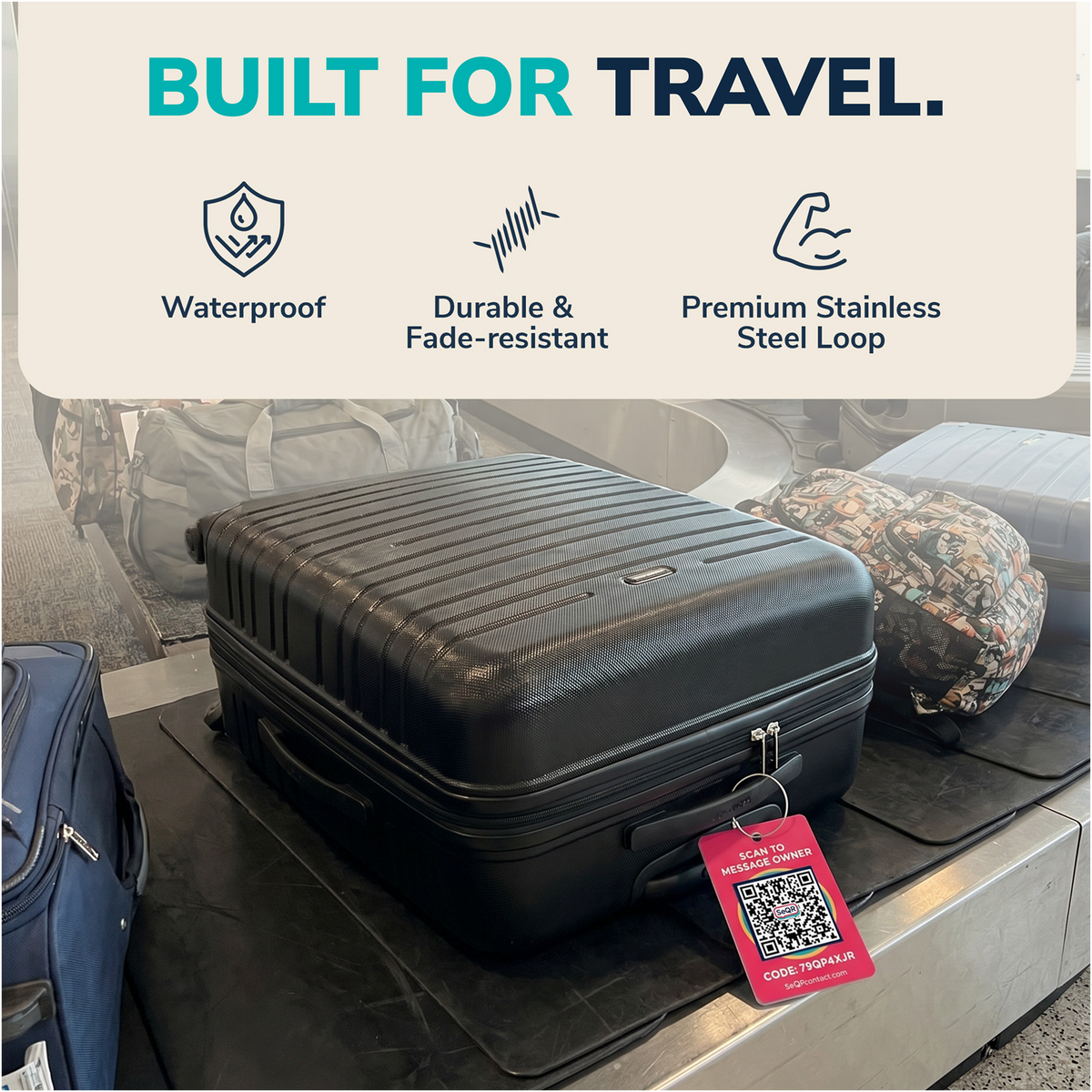
Here's what that looks like with SeQR's privacy luggage tags:
- Someone finds your bag and sees the tag.
- They point their phone camera at the QR code. No app to download, on any phone.
- A simple page opens with your message ("This bag belongs to a traveler. Please send a note, thank you!") and a button to reply.
- They type a message. If they choose to, they can share where they are.
- You get the message and can reply. They never see your phone number, and you never see theirs unless someone decides to share it.

There's no battery to die, nothing to charge, no subscription to renew and no airline battery rules to check. You attach it once and stop thinking about it. And because nothing personal is printed on the tag, it's not advertising your name, number or home address to everyone at the baggage carousel.
Thinking of printing a QR code yourself instead? Our guide to QR code luggage tags explains why a homemade code usually shows strangers more than you meant to share.
One thing to be clear about: a QR tag doesn't follow your bag around. It only helps once someone has found the bag and decided to scan it. In our experience, most people who find a lost bag do want to help. The tag just makes helping easy while keeping your personal info hidden.
"I thought it was like an AirTag"
This is the single most common thing we hear from new customers, so it's worth saying plainly: SeQR tags are not trackers. There's no live map, and we can't see where your bag is.
What a SeQR tag does is give the finder a way to reach you, and give you a way to reply. That conversation is what actually gets your bag back to you.

Use both: the setup most frequent travelers land on
If you check bags more than a couple of times a year, the combination is hard to beat:
- A tracker inside the bag tells you roughly where it is.
- A QR contact tag outside the bag lets whoever has it reach you.
The tracker answers "where is it?" The tag answers "who has it, and how do I get it back?" Between them, you've covered both halves of getting your bag back, even if your tracker's battery has died.
What makes a luggage tag "smart" for privacy
Old-fashioned tags ask you to write your name, phone number and sometimes your home address on a card that anyone can read. That causes quiet problems:
- A phone number on a bag is a phone number in public. It can be photographed or copied, and spam doesn't care that you meant well.
- A home address can signal an empty house. It tells a stranger where you live and that you're not there.
- International finders struggle with foreign numbers. Calling an overseas number is a hurdle many well-meaning people won't clear.
- Ink runs and inserts tear. Rain and conveyor belts are hard on paper.

Privacy luggage tags solve this by keeping your details off the tag entirely. With SeQR, the QR code printed on each tag never changes, but you can edit the message behind it any time from the free app. Moving house or changing your number doesn't mean buying new tags.
Which smart luggage tag should you buy?
- You check bags a few times a year and want the simplest option: a QR contact tag. No charging, no subscription, nothing personal on display.
- You want to know where your bag is during a trip: a Bluetooth tracker inside the bag, plus a QR tag outside so a finder can reach you.
- You travel with high-value equipment or need location data that doesn't depend on nearby phones: a GPS tracker. You'll need to check your airline's battery rules and keep it charged. And a contact tag isn't optional here: when the bag holds expensive gear, whoever finds it needs a way to reach you fast.
- You're buying for family: QR tags are easy to set up for everyone's bags. Each tag has its own unique code, so every bag is identified separately.
Frequently asked questions
Which luggage tags prevent loss?
No tracker or tag can stop an airline from mishandling your bag, a stranger from grabbing it by mistake at the carousel or off the plane, or a thief from taking it. What a good tag does is speed up recovery: a tracker helps you locate the bag, and a QR contact tag lets the finder reach you.
Do smart luggage tags need an app?
Trackers need their own app on your phone. SeQR tags don't need an app for the finder at all, just a phone camera. Owners manage their tags in the free SeQR app, which installs from your browser. (See how the app works.)
Do QR luggage tags need a battery or subscription?
SeQR tags have no battery and no subscription. The app is free.
Can someone track me through my QR luggage tag?
No. A SeQR tag doesn't report its location, and it doesn't show your name, number or address to the person who scans it.
Should I still put my name on my bag?
Airlines may ask for your name on checked luggage. A first name and last initial on the inside is a reasonable middle ground. Keep your phone number and home address off the outside.
Ready for your next trip? See SeQR privacy luggage tags.
How a SeQR tag gets your things back
- 1Someone finds itThey point any phone camera at the tag. No app needed.
- 2They message youThey see your note and a message box, not your number or address.
- 3You reply and get it backYou get the message right away and agree where to meet.
 Smart Luggage TagsNo app for the finder, no battery, no monthly fees.See the product →