Holiday Travel Packing Checklist: The Accessories Worth Bringing (and the Ones to Skip)
Holiday travel accessories checklist: what to pack for Thanksgiving and December trips, what to skip, and how to label bags without sharing your number.
The short answer
The travel accessories worth packing for a holiday trip do one of four jobs: they help your things find their way back to you, keep your phone charged, keep documents within reach, or make a long travel day easier. Everything else is optional. Below is a checklist you can tick off, a short list of things to skip, and a five-minute setup for your tags before you leave.
Why a holiday trip needs its own checklist
Holiday travel is busy. AAA projected that 81.8 million Americans would travel at least 50 miles over Thanksgiving 2025, and a record 122.4 million over the 2025 year-end holidays, 109.5 million of them by car. Airports, train stations and relatives' driveways all fill up at the same time.
There is good news. Airlines are mishandling fewer bags than they used to. SITA reports that mishandled bag rates dropped 23% in 2025. That still adds up to 24 million bags, and transfers caused 39% of them. A holiday itinerary with a connection is exactly where a bag can end up on the wrong belt.
So the goal of this list isn't more gear. It's fewer, better things, each with a clear job.
The travel accessories checklist
Pack by job. Work through one group at a time.
Getting your things back
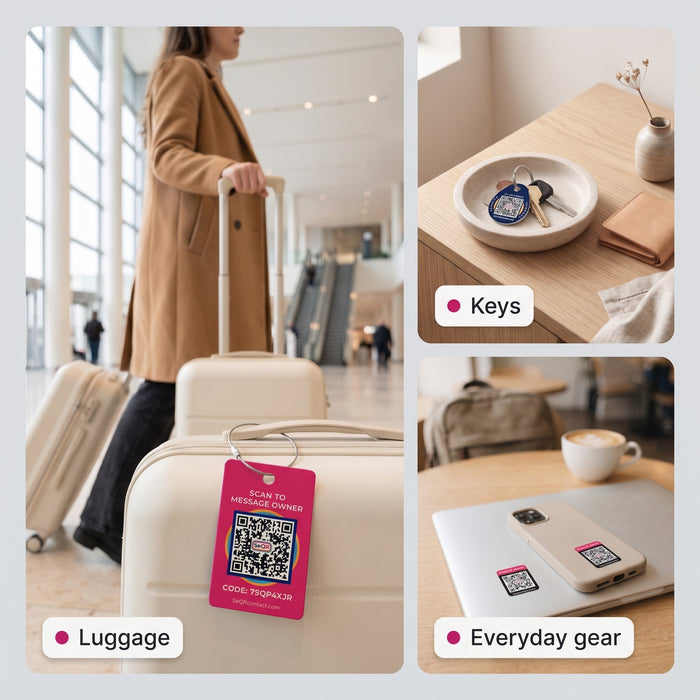
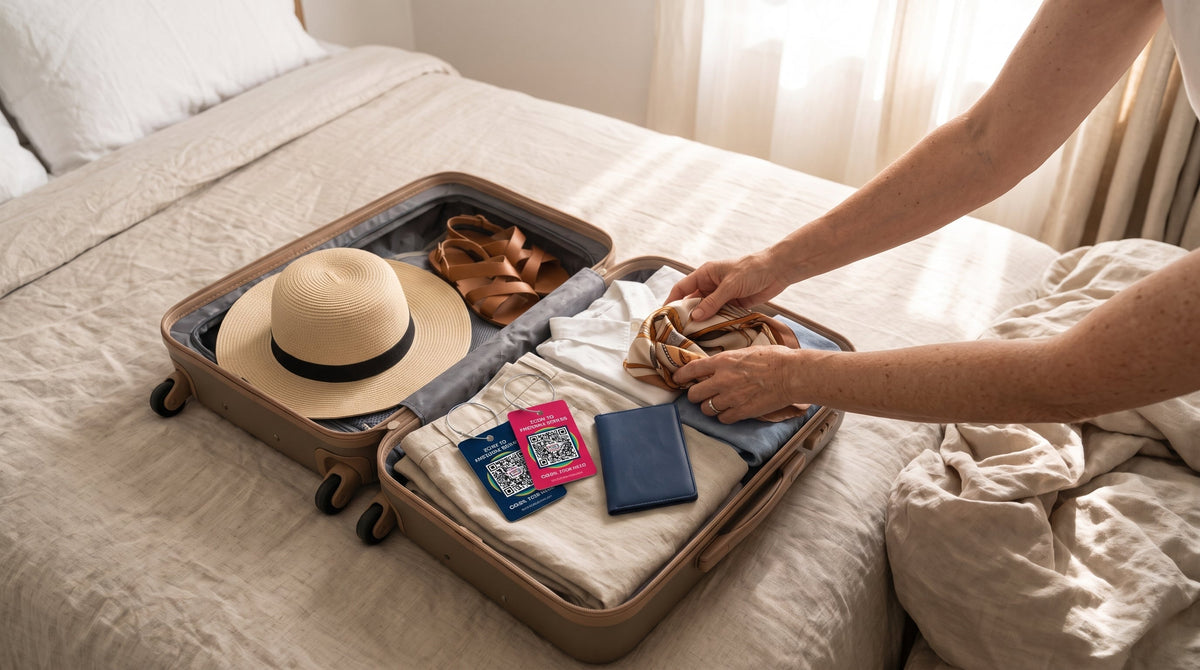
- A contact tag on every checked bag and carry-on, one that doesn't print your phone number or home address. Smart Luggage Tags use a QR code instead: a finder scans it with any phone camera and sends you a message.
- A second way to identify the bag from the inside, in case the outside tag gets torn off. A Secure Lost Item Label on a hard-shell interior or your toiletry case does the job.
- A photo of each bag on your phone, outside and open. Airlines ask for a description when a bag is late.
- A contact tag on your house and car keys. Keys get left on rental counters, in ride-share back seats and on the kitchen counter at your in-laws'. A Secure Smart Keychain Tag gives whoever finds them a way to reach you.
- Labels on the small things that are easy to leave behind: AirPods case, laptop, e-reader, passport cover.
- A Bluetooth tracker like an AirTag, if you already use one. Pair it with a contact tag (more on that below).

Power and phone
- One power bank, packed in your carry-on. TSA says power banks with a lithium-ion battery must be packed in carry-on bags.
- One charging cable per type of device.
- A car charger for the drive to Grandma's.
- A plug adapter, only if you're leaving the country.
Documents and small stuff
- ID and boarding passes in one pocket you always use.
- A zip pouch for receipts, rental paperwork and the bag-claim stickers the airline hands you at check-in.
- A pen, for customs forms or a delayed-bag report.
Family and crowd extras
- A contact wristband for a young child or an older parent in busy places. If you get separated, a helper can scan the band and reach you.
- Iron-on labels in kids' coats and backpacks. Holiday coats come off a lot, and they all look alike on a pile in the hallway.
- A car contact tag if you'll park in a shared driveway or on a crowded street. Whoever you're blocking in can message you instead of knocking on every door.
Comfort (pick two)
- Packing cubes
- A refillable water bottle (empty it before security)
- A neck pillow for longer flights
- Earplugs or noise-cancelling headphones
If you're flying carry-on only, our carry-on essentials guide covers how to organize the bag itself for the security line.
What to skip
- A luggage tag with your home address on it. An address on a bag sitting in an airport parking garage tells strangers where an empty house is. Your name and a way to reach you are enough. Here's what to put on a luggage tag, and what to leave off.
- Your cell number written on a paper tag. "I don't want my phone number on there" is one of the things customers tell us most. Fair enough. Phone numbers can be used online to find your home address, and ink runs in the rain.
- Wrapped presents in your carry-on. TSA suggests gift bags or boxes instead, because a wrapped gift that sets off the scanner may have to be unwrapped.
- A power bank in your checked bag. It belongs in your carry-on.
- Duplicate gadgets. One power bank and shared cables cover most families.
- Travel-size everything. If you're staying with family, they have shampoo.
- A Bluetooth tracker as your only plan. Here's why.
Bluetooth trackers and contact tags do different jobs
"I thought it was like an AirTag" is something we hear often. It isn't, and that's fine. A Bluetooth tracker like an AirTag shows you roughly where your bag is, using nearby phones. The FAA has said luggage trackers with 0.3 grams of lithium or less, which includes AirTags, are allowed in checked bags.
What a tracker doesn't do is let the person holding your bag talk to you. A contact tag does. They scan the code, type a message, and you get it. The finder doesn't need an app or a particular brand of phone. They can also choose to share where they are, depending on their device's settings.
Plenty of travelers use both. If you keep an AirTag on your keys, the Smart Case for AirTag holds it behind a clear back with a QR code on the front. Our side-by-side look at QR tags and Bluetooth trackers goes deeper.

Set up your tags before you leave (about two minutes)
- Scan the QR code on each new tag with your phone's camera.
- Sign in or create a free account. The SeQR app is a web app you install from your browser, so you won't find it in the App Store or Google Play. There's no subscription.
- Write the message a finder will see. Keep it short and specific to this trip.
- Allow notifications from the app, so you hear about new messages right away.
- Scan the tag from someone else's phone to see what a finder sees.
A holiday message might read: "Thanks for finding this! I'm visiting family through Dec 28. Please message me here." After the trip, change it back. The QR code on the tag stays the same, and the message behind it is editable any time. Each tag has its own unique code, so the suitcase and the keys can say different things. The how-to-use page walks through it with pictures.
Traveling as a couple? "My husband needs access too" comes up a lot. Shared household access is on the way. For now, many families share one login so both people see messages.
Frequently asked questions
What travel accessories do I actually need for a holiday trip?
A contact tag on each bag and your keys, one power bank in your carry-on, a charging cable, and a pouch for documents. Comfort items are extras. Pick the two you use most.
Can I put a power bank in my checked luggage?
No. TSA says lithium-ion power banks must be packed in carry-on bags. Most are also limited to 100 watt-hours each without airline approval.
Are AirTags allowed in checked bags?
Typically yes. The FAA has said trackers with 0.3 grams of lithium or less, including AirTags, can go in checked baggage. Check your airline's own policy too, especially on international flights.
Should I put my address on my luggage tag?
We'd leave it off. Your name and a private way to reach you are enough for a finder to get the bag back to you.
Does someone who finds my bag need an app?
No. Any phone camera opens a page with a message box. There's nothing to download.
Is the SeQR app really free?
Yes. There's no subscription, and the tags have no battery to replace.
Packing this week? Start with the bags: Smart Luggage Tags go on in a minute, or get luggage tags, keychain tags and labels together in the SeQR Starter Set.
How a SeQR tag gets your things back
- 1Someone finds itThey point any phone camera at the tag. No app needed.
- 2They message youThey see your note and a message box, not your number or address.
- 3You reply and get it backYou get the message right away and agree where to meet.
 Smart Luggage TagsNo app for the finder, no battery, no monthly fees.See the product →