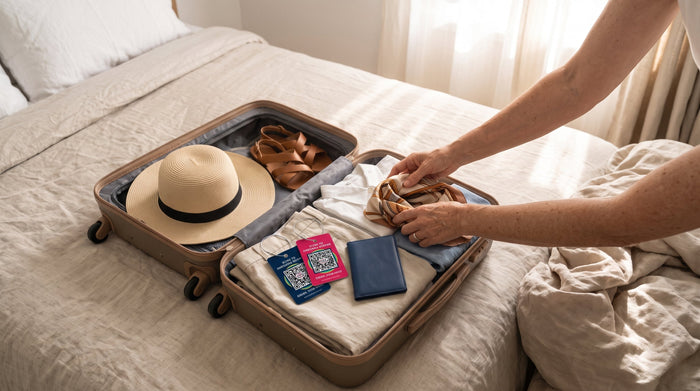
What to Put on a Luggage Tag (and What to Leave Off)
Put a way to reach you on your luggage tag, not your home address or main number. Here's what to include, what to skip, and how privacy tags help.
The short answer
What should you put on a luggage tag? Just enough for a finder to reach you, and nothing that helps a stranger find your home or your phone. Skip your home address: on a bag, it tells strangers where you live and that you're away. On a standard tag, that means your name and a contact that isn't your main cell number. On a QR privacy tag, it means nothing personal at all: the finder scans the code and messages you.
A luggage tag gets read by a lot of people between your front door and the carousel: other passengers, baggage handlers, anyone standing next to your bag. Most of them would happily help if your bag went astray. The tag's job is to make helping easy, without handing everyone else your details.

What to put on a luggage tag
- Your name, kept short. Airlines may ask for a name on checked bags. A first name and last initial, or just your initials, on the outside does the job; your full name can go on a card inside.
- A way to reach you that doesn't expose you. From best to worst: a QR code that routes messages to you is best, because nothing personal is printed and anyone with a phone camera can reach you, even from another country. A secondary phone number or an email you check while traveling is less than ideal: it's printed where anyone can copy it, and an overseas number is a hurdle many kind finders won't clear. Your home address is the worst choice, because it tells strangers where you live and that you're away.
- A clear request. "If found, please send me a note" tells a finder exactly what to do next. People are far more likely to help when the next step is obvious.
- Fuller details on the inside. A card in an inside pocket with your full name and how to reach you helps if the outside tag gets torn off on a conveyor belt. Only someone who opens the bag will see it.
What to leave off
- Your home street address. An address on a bag tells strangers where you live and, while you're away, that nobody's home. Your city is plenty.
- Your main cell number. A number printed on a bag can be photographed or copied, and spam doesn't care that you meant well. Scammers lean on phones, too: in 2025 Americans reported a record $15.9 billion in fraud losses to the FTC, and text messages were the most-reported way scammers first made contact. It can also be looked up online: people-search sites list past and present addresses and even where your relatives live, according to Consumer Reports, and a reverse phone lookup can tie your number to that profile. A number is safer than a home address on a tag, but it isn't safe. A compromised number is also a real pain to replace.
- ID numbers of any kind. Passport, national ID and loyalty numbers have no place on the outside of a bag.
- Your employer and your travel plans. A company name or an itinerary tells a stranger far more than a finder needs.
- Your children's names. Travel experts cited by the NZ Herald recommend leaving kids' names off luggage tags entirely.

How Smart Luggage Tags handle it
"I don't want my phone number on there" is one of the things we hear most from customers. SeQR Smart Luggage Tags exist for exactly that: being reachable by the person who finds your bag without being reachable by everyone else who sees it.
There are two kinds:
- Flap or cover tags hide a printed card under a leather or silicone flap. That keeps your details out of casual view, but anyone who lifts the flap still sees them, and you have to rewrite the card whenever something changes.
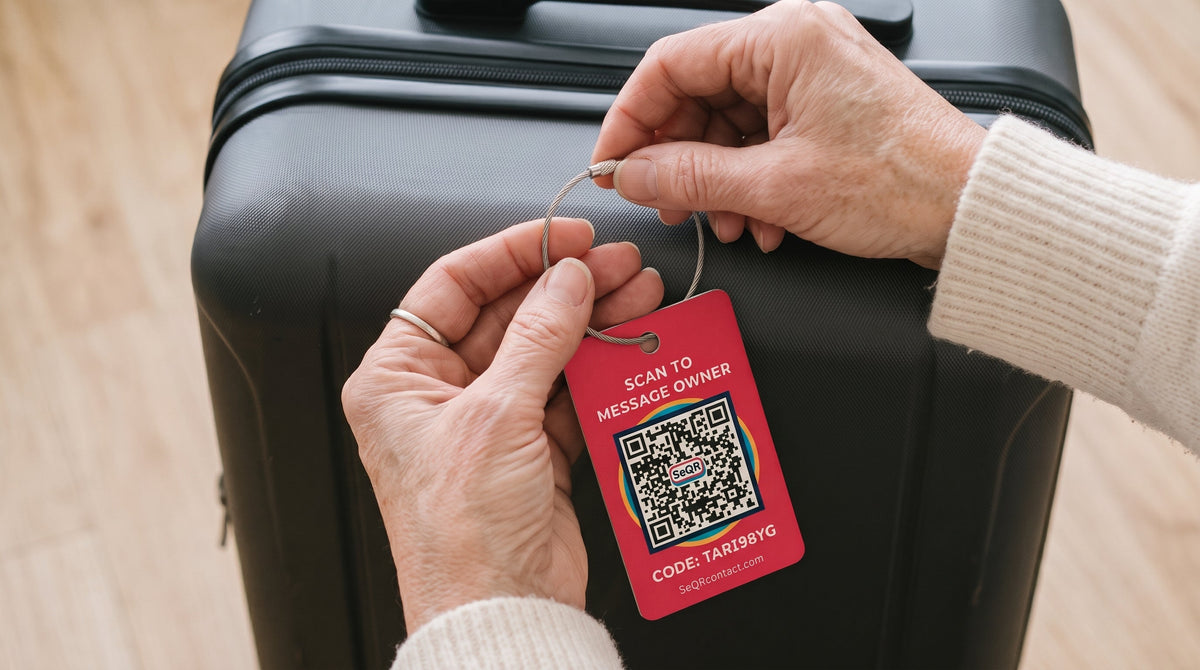
- QR privacy tags don't print personal details at all. SeQR's Smart Luggage Tags carry a unique QR code. When someone scans it with any phone camera, they see your message and a button to reply. There's no app to download, and they never see your number.
Two things make the QR version easier to live with:
- You can change the message any time. The code printed on the tag never changes, but the message behind it does, from the free app. A new address, a new number, or a note for this specific trip ("Flying home Dec 22, thank you for helping!") takes seconds, and the tag stays on the bag.
- There's nothing to maintain. No battery to replace, no subscription to renew, no card to rewrite.
One honest limit: a QR tag doesn't show you where your bag is. It helps once someone has found the bag and decided to scan it. If you also want location updates, pair it with a tracker inside the bag. Our guide to smart luggage tags explains how the two work together.

A 60-second tagging checklist
- Use a fixed handle. Attach the tag to the top or side carry handle, not the telescoping handle, so it doesn't get pinched or pulled off.
- Tag two handles on checked bags. If one tag gets torn off in handling, the other is still there.
- Pull-test it. Give the loop a firm tug before you leave home.
- Add a backup inside. A card or a small QR label inside the bag, and one on your passport cover, means a finder can still reach you if the outside tag goes missing.
- Set your message before you go. If you use a SeQR tag, open the app and check that the message says what you'd want a finder to read.


Which luggage tags actually help you get lost bags back?
No luggage tag can stop an airline from mishandling a bag, a stranger from grabbing it by mistake at the carousel, or a thief from taking it. What a tag can do is shorten the time between "my bag is missing" and "my bag is back." The tags that do that well have four things in common:
- The finder can reach you in seconds. A hotel clerk or another traveler shouldn't have to call an overseas number or download an app. A QR tag that opens a message page on any phone camera removes both hurdles.
- They stay on the bag. A steel loop on a fixed handle survives conveyor belts far better than a plastic strap or a paper insert in a window.
- They don't put you at risk. If the tag shows your address or main number, it's working for everyone who walks past, not just the person holding your bag.
- They stay current. A tag with an old phone number is a dead end. One whose message you can update from your phone stays useful for years.
Here's how the common options stack up:
- Paper or printed tag: easy to read, but it shows your details to everyone and the insert wears out.
- Flap privacy tag: hides your details from casual view, but a finder still has to call or email you, and you rewrite the card when anything changes.
- Bluetooth tracker (like an AirTag): shows you roughly where the bag is, but keeping the battery alive is on you, and it gives the person holding your bag no simple way to reach you.
- Smart QR contact tag: lets whoever finds the bag message you from any phone, with no battery, no subscription and nothing personal printed. It doesn't show you a location.
For most travelers, the setup that recovers bags fastest is a QR contact tag outside the bag and, if you want location updates too, a tracker inside it. Our guide to smart luggage tags compares QR tags, AirTags and GPS trackers in more detail.
Frequently asked questions
Should I put my address on my luggage tag?
Not your street address. Your city is enough, and a full address on the outside of a bag can tell strangers your home is empty. If you want an address with the bag, put it on a card inside.
Should I put my phone number on my luggage tag?
Only a secondary number you're comfortable sharing with everyone who walks past your bag. A QR privacy tag lets a finder message you without seeing any number at all.
What should I put on a luggage tag for international travel?
Make it easy for someone who may not speak your language or want to call another country. A QR code works on any phone, anywhere, and a short, plain message is easy to translate. On a printed tag, an email address usually beats a phone number.
Are Smart Luggage Tags worth it?
If you'd rather not print your number on a bag, yes. A good one keeps your details private, lets anyone reach you, and doesn't need rewriting every time something changes. SeQR tags are a one-time purchase, and the app is free.
Do I need a luggage tag if I have an AirTag?
An AirTag shows you where your bag is. It doesn't give the person holding your bag a way to reach you. A contact tag on the outside covers that half.
Packing for the holidays? See SeQR Smart Luggage Tags.
How a SeQR tag gets your things back
- 1Someone finds itThey point any phone camera at the tag. No app needed.
- 2They message youThey see your note and a message box, not your number or address.
- 3You reply and get it backYou get the message right away and agree where to meet.
 Smart Luggage TagsNo app for the finder, no battery, no monthly fees.See the product →