Lost Item Labels
Put one on anything you’d hate to lose. If someone finds it, they can message you in seconds.
- “Scan if found” is printed on every label, so a finder knows what to do
- You get the message by text and email, without sharing your number
- Scratch-resistant, waterproof and dishwasher-safe
- No app
- No battery
- No monthly fees
Free shipping
- 100-day returns
- 1-year warranty
- Secure checkout
- We don’t sell data
Questions? or email us. A real person replies within 24 hours.
Pay with Shop Pay, Apple Pay, Google Pay, PayPal or card.
About this product
Small stick-on labels for the things that go missing most: phones, laptops, water bottles, glasses cases, earbuds, chargers, passports. Every label says “Scan if found” across the top, so whoever picks your thing up knows exactly what to do. They scan it, a page opens with your note and a message box, and you hear from them straight away. Your name, number and address don't appear on the label.
They’re paper-thin with a strong adhesive, so they sit flat and you forget they’re there. Half the labels are white and half are black with a red header, so there’s one that shows up on a dark laptop and one for a white earbuds case. At 1 in × 0.75 in they fit even the little things, like full-size camera SD cards. They’re waterproof, dishwasher-safe and scratch-resistant, and they’re made to stay on.
Every label has its own code. Name each one in your free account, like “Laptop” or “Emma’s bottle”, so you know exactly what was found. A label isn’t assigned to anything until you scan it, so the spares wait in the drawer for the next thing.
What's in the box
- 6, 24 or 48 Lost Item Labels, each with its own code
- Lifetime access to private messaging
Details
- Size
- 1 in × 0.75 in, paper-thin
- Colors
- Half white, half black with a red header
- Printed on it
- “Scan if found” and seqrcontact.com
- Label
- Waterproof, dishwasher-safe and scratch-resistant
- Sticks to
- Flat or gently curved surfaces, indoors or out
- Works with
- Any smartphone camera, anywhere with internet
- Setup
- About 30 seconds per label
- Warranty
- 1 year
Most everyday things have no way back to you.
Phones, laptops, bottles and glasses get left in cafés, cabs and waiting rooms every day. Whoever finds them usually wants to help, but with nothing to go on, the item ends up in a drawer or a lost-and-found bin.
A lost-and-found bin is a dead end
Staff can’t trace an owner from a bare laptop or a water bottle. Things sit there for weeks and then get thrown out.
Your name and number on a label is public
Writing your details on a laptop or a notebook shows them to everyone who walks past your desk.
Replacing small things adds up
Glasses, earbuds and a phone are expensive to replace, and the time spent sorting it out is worse.
SeQR is the private way to label your things
The finder scans the code and messages you. They don't see your name, number or address, so they can reach you without knowing who you are.
Where people put SeQR labels
Every label has its own code. Name each one in your free account so you know exactly what was found.
- Laptopwork bag
- AirPodscase
- Passportcover
- Emma’s bottleschool
Rename any label, change any note, see which one was scanned.
-
Phone and phone case
The thing you can’t call to find. The finder messages you, and the message arrives on your other devices and email.
-
Laptop and tablet
Left at a gate, a library or a coffee shop. Staff can reach you instead of shelving it in lost-and-found.
-
Water bottle and travel mug
The item people lose most often, and the one nobody can trace.
-
Glasses case and earbuds
Small enough for the little things, which are the expensive things to replace.
-
Chargers, notebooks and power banks
Everything you leave behind in hotel rooms and meeting rooms.
-
Family’s things
Lunch boxes, tablets and bags that go to school and don’t always come home.
How it works
If you can take a photo with your phone, you can use SeQR.

-
Step 1
Stick it on and scan it once
Peel, press it onto a flat spot, and point your phone’s camera at the code. Label it, like “Laptop” or “Glasses”, and write a short note.
-
Step 2
Someone finds your thing
They scan the label with any phone camera. A simple page opens with your note and a message box. No app, no account.
-
Step 3
You get it back, privately
We let you know right away by email, text or phone notification. Nothing on the label leads to you.
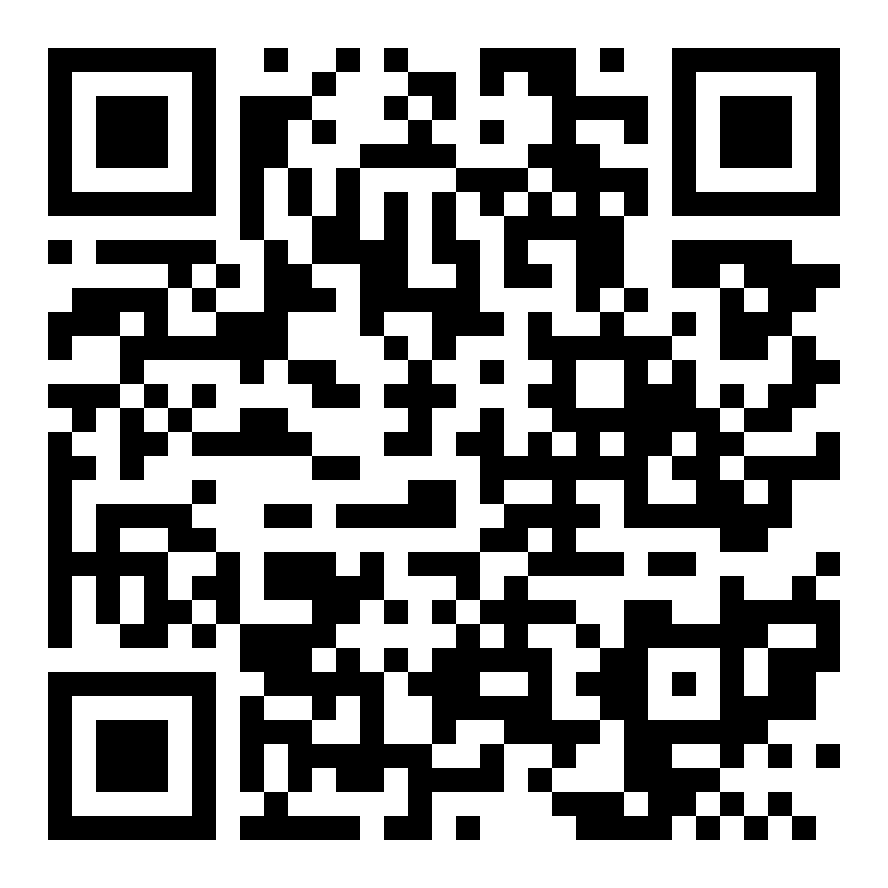
A real SeQR demo tag
Try it before you buy
Point your phone's camera at this code. The page that opens is exactly what a finder sees when they scan one of your labels.
- Open the camera on your phone
- Point it at the code
- Tap the link that appears
It's a demo tag that belongs to us at SeQR, so go ahead and send a message. You'll see it arrive without anyone seeing your number.
What a finder sees, and what they don't
They see
- The note you wrote, like “Thank you! Please message me.”
- A box to send you a message
- A button to share where they found it, if they choose
They don't see
- Your name
- Your phone number
- Your email
- Your home address
We do not sell or share your information.
SeQR vs a name label or a Bluetooth tracker
| Feature | Our pickSeQR label | Name label | Bluetooth tracker |
|---|---|---|---|
| Whoever finds it can reach you | ✓ | Only if you wrote a number on it | Only if you’ve switched on lost mode, and their phone can read it |
| Your name and number stay private | ✓ | ✕ | Lost mode usually shows the number you add |
| Fits small things like glasses and earbuds | ✓ | ✓ | ✕ |
| No battery to replace | ✓ | ✓ | ✕ |
| Change your details anytime | ✓ | ✕ | ✓ |
| Shows you where it is | When the finder shares a location | ✕ | Yes, near other phones on its network |
A tracker can’t fit on glasses or earbuds. Plenty of people use both.
Reviews
17 verified reviews
Love the stick on tabs!
Great product
Great product. I travel internationally a lot and have always been concerned about how to track my stuff. I have tags that are RF tags and that's great however if it's out of range to have someone be able to scan and contact me without leaving all of my direct information is a real relief. Good work I plan to order more. Highly recommend it
They work well
Great product feel better about recovering any lost item
Questions and answers
How many do I need?
Count the things you’d hate to lose: phones, laptops, tablets, bottles, glasses, earbuds, chargers, passports. Six covers one person’s essentials. 24 covers a household. 48 is for splitting with family or labelling travel gear too. Labels aren’t assigned to anything until you scan them, so spares keep for the next thing you buy.
How do I customize my label? Do I need to send my details when I order?
No. There’s nothing to fill in when you order: every label arrives blank and ready to set up, and you personalize it yourself once it arrives. Give it a name, like “Laptop”, write the note a finder will see, and choose how you’d like to be alerted. You can change any of it later, as often as you like.
How do I activate my label?
Open your phone’s camera, point it at the code and tap the link that appears. Setup takes about 30 seconds in your phone’s browser. Use the camera app that came with your phone, not a third-party QR scanner app, so the setup page opens correctly. You don’t need an app, but if you’d like one, the SeQR app is at install.page/seqr. It isn’t in the Apple App Store or Google Play, so install it from that link.
What can I stick them on?
Anything flat or gently curved: phones and phone cases, laptops, tablets, water bottles, glasses cases, notebooks, chargers, even your mailbox. Very tight curves, like a pen or a thin cable, are too tight for a label to sit flat.
Can bottles and lunch boxes go in the dishwasher?
Yes. The labels are dishwasher-safe, so water bottles, travel mugs and lunch boxes can go straight in.
Can I take a label off later?
They’re made to stay on. You can peel one off with some force, but it may leave residue, so put it where you want it to live. On a phone or laptop you might sell one day, the case or the charger is a good spot.
Will it still scan after it gets scuffed?
Yes. The labels are scratch-resistant and hold up to everyday wear, like sliding around in a bag or a laptop moving across a desk. The code stays scannable.
How big are they?
1 inch by 0.75 inch, small enough for a glasses case or a set of earbuds.
Will they come off in the rain?
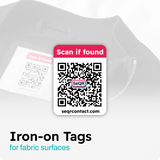
No. They’re waterproof and dishwasher-safe, and the adhesive is made to stay on. For clothes and other fabric, use our iron-on tags instead.
Does each label have its own code?
Yes. Every label in the pack is unique, so you can label each item and know exactly which one turned up.
How will I know if someone scans it?
You’ll get a message by email, text or phone notification, whichever you choose. You can reply right away, and the person who scanned it doesn't see your contact details.
Do I or the finder need an app?
No. You set up your tag in your phone’s web browser, and the finder’s camera simply opens a web page with a message box. Nobody has to download anything. If you’d like an app anyway, ours is at install.page/seqr (it isn’t in the App Store or Google Play).
What does SeQR do with my information?
Your contact details are only used to deliver messages from people who scan your tags. We do not sell or share your information.
What if my phone number or email changes?
Nothing to replace. Update your details in your SeQR account and every tag you own follows. The code on the tag stays the same.
Does it work outside the US?
Yes, anywhere with internet. Scanning the tag opens a web page, so the finder doesn’t need to make an international call or have a US number.
Is there a monthly fee?
No. You pay once for the tags, and messaging is included for life.